
April 10, 2022
How to Fix the Ricoh GR III Scroll Wheel Issue
I purchased my Ricoh GR III camera in Japan during my vacation there in 2019. After a couple of years of use, an issue developed with the rear scroll wheel. The wheel is used as a directional pad, but also has the ability to rotate in order to scroll through photos, menus, and settings. Using the wheel to scroll worked at first, but over time, spinning the wheel caused the photos, menus, and settings to jump around erratically, making it unusable. Using the control as a d-pad was fine, but scrolling was unusable.
I initially thought this was related to the “wobbly control dial” issue that some early GR IIIs had. After some research, I realized that my Ricoh GR3 scroll wheel didn’t have the same issue. Ricoh apparently fixed that issue under warranty.
On the Ricoh DPReview forums, others that have experienced this issue have sent their GR III back to Ricoh to get it fixed. One person was brave enough to post a DIY teardown of the camera, showing how they replaced the scroll wheel on their own. It looked like way more than I was willing to do to fix this issue. Lucky for me, they disassembled the scroll wheel assembly and posted many photos of how it works. Interestingly, it didn’t seem like the components of the wheel were worn out. Maybe they’re just oxidized and could be cleaned? The person that did the teardown of the GR III mentioned that they tried doing exactly this, but after reassembly, they found “No noteworthy positive effect.” So they replaced the part entirely.
Since the camera was out of warranty, I decided to try cleaning the contacts of the scroll wheel before attempting an out of warranty repair. I figured if I could get a few drops of contact cleaner into the wheel, perhaps it could fix the issue. The end results worked for me, so I’m documenting what I did to fix the issue.
Disclaimer: I accept no responsibility for any damage that occurs to your camera. You accept any and all risk to your camera and warranty by following the guide below.
Supplies you’ll need before you begin
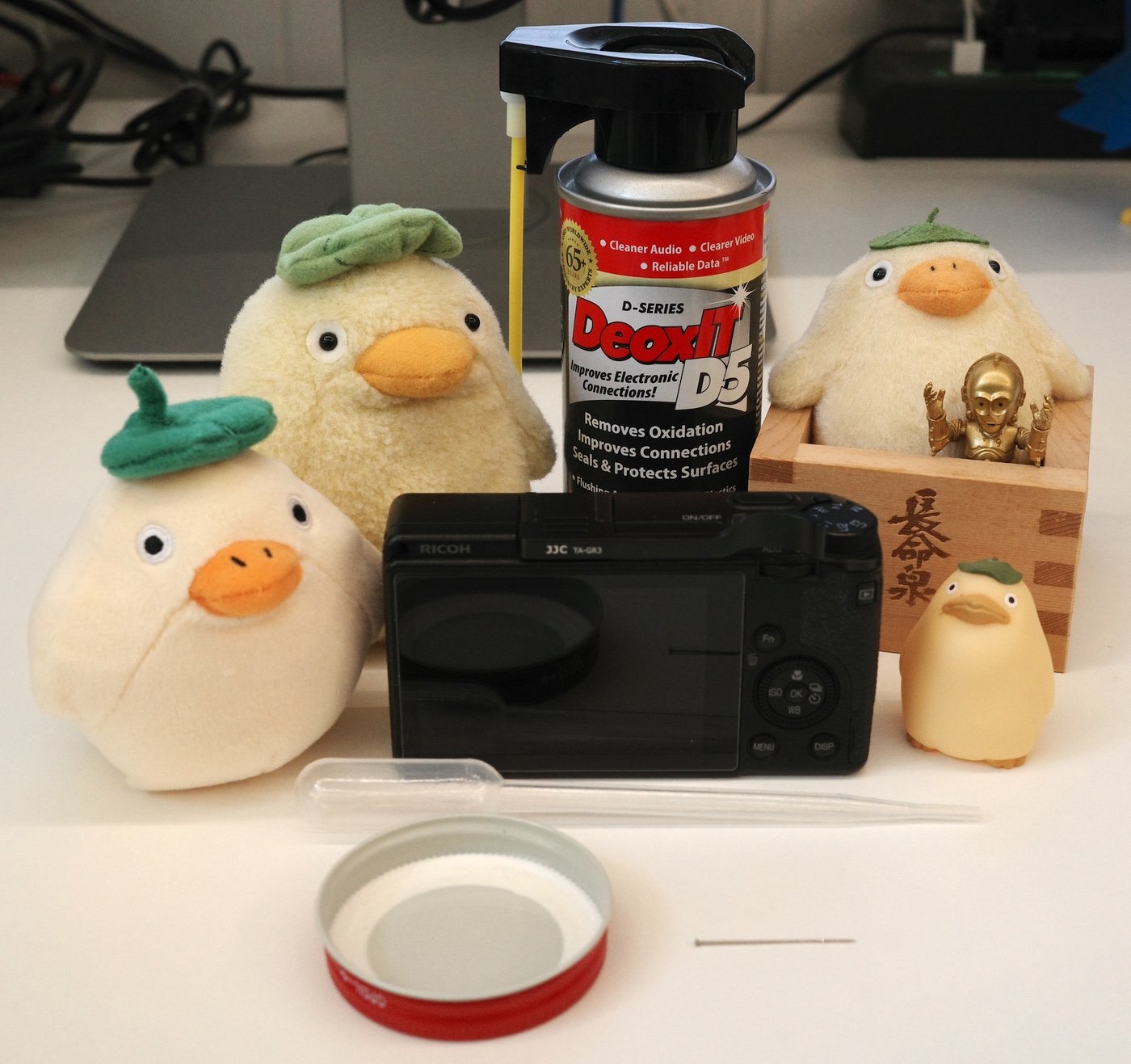
All the supplies you need. Ducks not necessary.
- A high quality electronic contact cleaner. I used DeoxIT D5 electronic contact cleaner, but other brands may work. A can of DeoxIT is approximately $13-$18, which may seem expensive, especially since you’ll only need 2-3 tiny drops of it. I have found that it’s worth it. Hopefully, you can find other uses for it if you purchase some. (Full disclosure: clicking that link above will give a small percentage of the sale to my wife, who makes a living as an artist)
- A needle or toothpick or something with a very sharp end.
- Plastic pipette
- Jar lid
Procedure
- Spray a small amount of the contact cleaner into the jar lid.
- Suck the contact cleaner into the plastic pipette if you have one.
- Place the tip of the needle or toothpick at the edge of the scroll wheel. I don’t think it matters where you place it. Pick a spot that is comfortable for you to access.
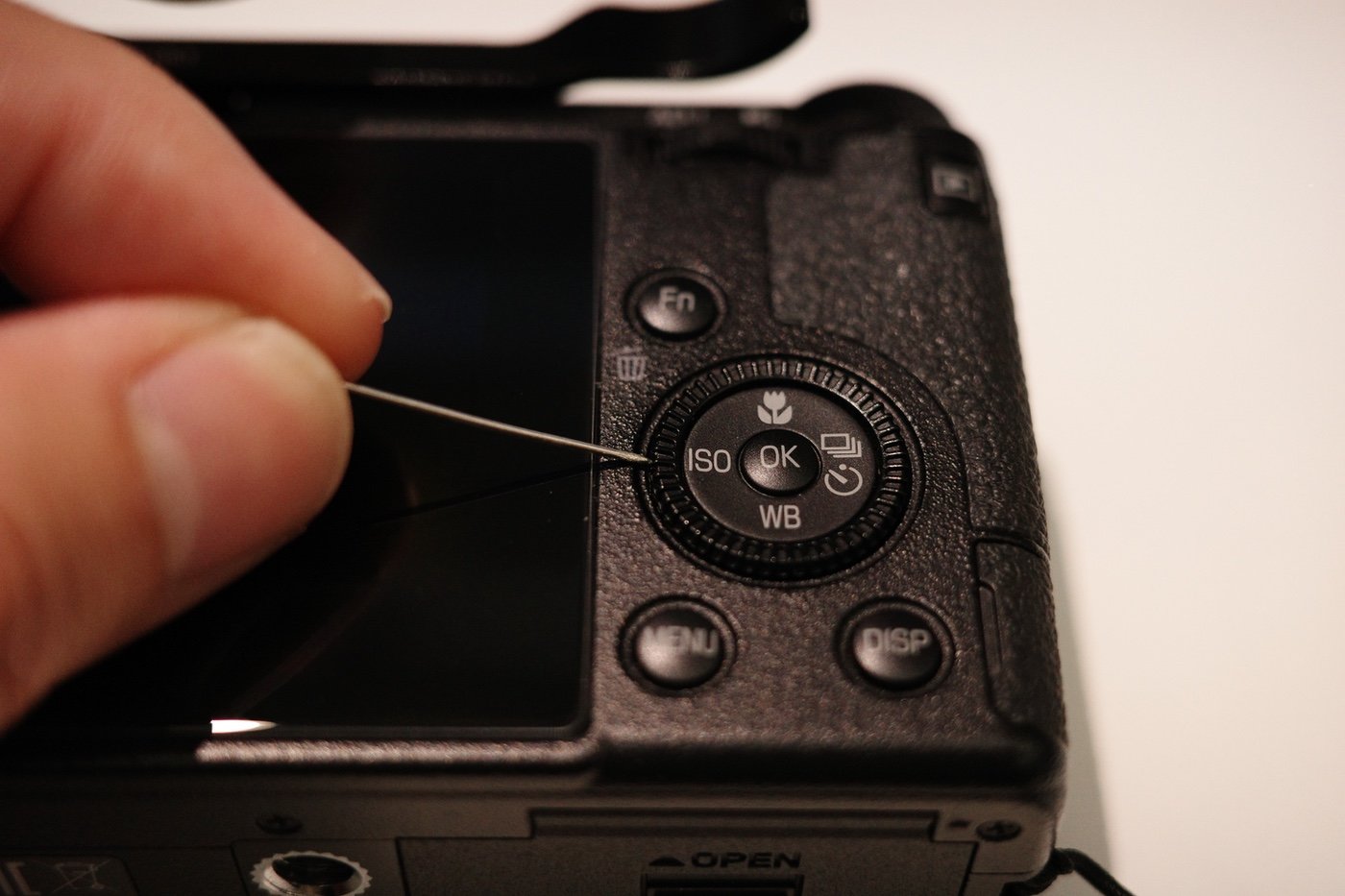
Place the needle at the edge of the wheel so the contact cleaner can flow into the gap between the camera body and the wheel.
- Place a drop of the contact cleaner near the tip of the needle or toothpick. It should flow into the crack between the camera body and the wheel. Be careful not to use too much! A little goes a long way.
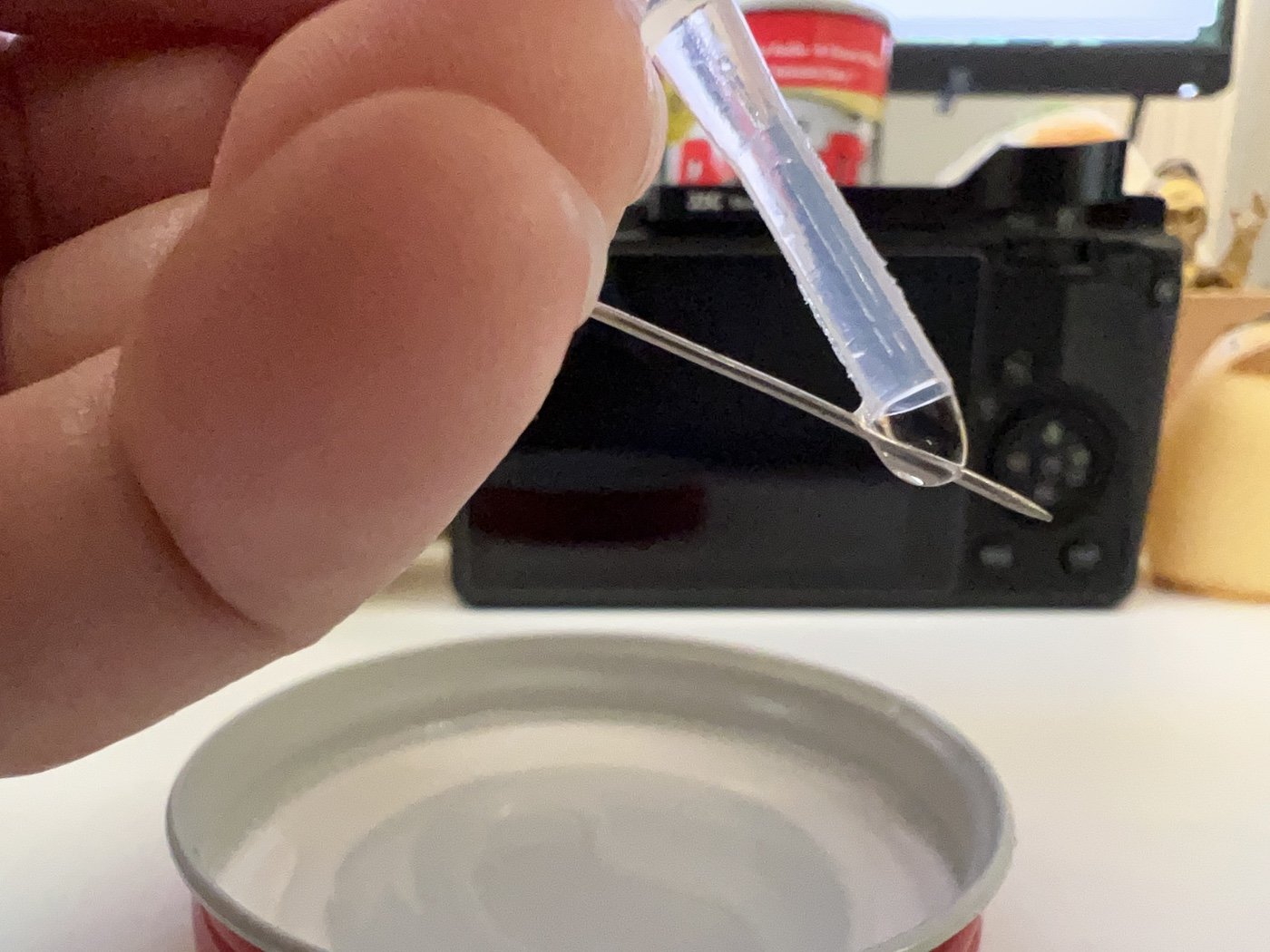
Put a drop of contact cleaner near the tip of the needle. This photo is for visual purposes only.
- Place the tip of the needle or toothpick at the edge of the wheel opposite to where you applied the first drop of contact cleaner.

Place the needle on the opposite side and repeat the adding a drop of contact cleaner.
- Place another drop of contact cleaner near the tip of the needle or toothpick.
- Spin the wheel 10-15 times clockwise.
- Spin the wheel 10-15 times counter-clockwise. Spinning the wheel allows the contact cleaner to penetrate the mechanism and break off the oxidation.
- Wait at least 2 minutes to allow contact cleaner to evaporate.
- Turn on the camera and try out the wheel. Hopefully, it works!
Using just two drops of contact cleaner saved me from having to send the camera in for a pricey repair! I don’t have any solid information on why the issue occurs in the first place, but if I had to guess, I think it’s because the metal contacts inside the wheel become oxidized over time. Oxidation can occur depending on the environment you are in or perhaps how often you use the camera. Since I live in Hawaii where the weather is hot and humid, things tend to oxidize here differently than other parts of the world.
I think if you use the scroll wheel often, it’s less likely you’ll experience this issue, since the contacts inside the scroll wheel would have less of a chance to oxidize, but I could be wrong. I’ve been using my other camera, the Ricoh GR IIIx, much more than the GR III. Maybe it’s a reminder to use it more often!
If this helped you fix the scroll wheel issue on your GR, I’d love to hear about it!